 CTI
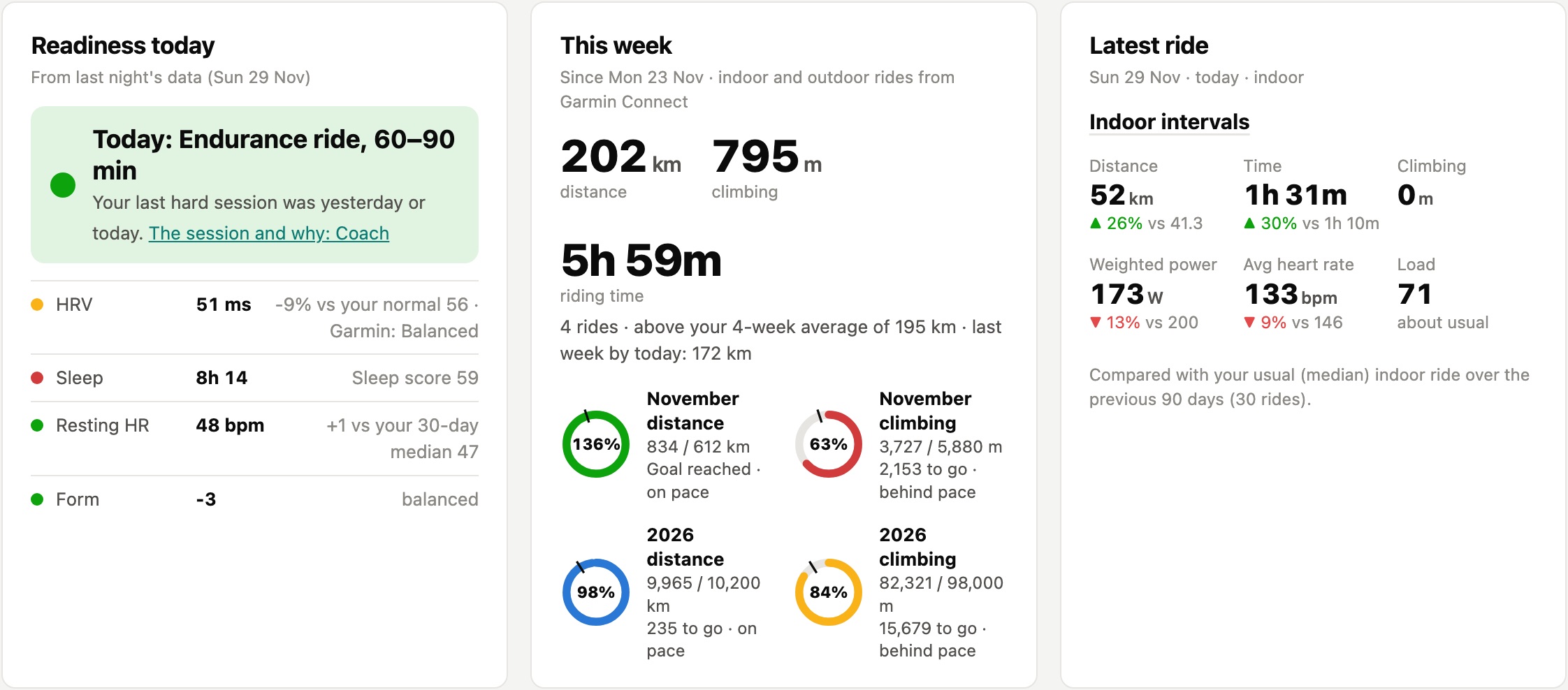
Readiness today
One look in the morning: how recovered you are from last night's HRV, sleep and resting heart rate, how this week compares with your goals, and how your latest ride stacked up against your usual.
For cyclists who train with data
Consolidated Training Insights brings your rides, recovery and sleep together on your Mac and tells you what they mean for today. Your data never leaves your computer.
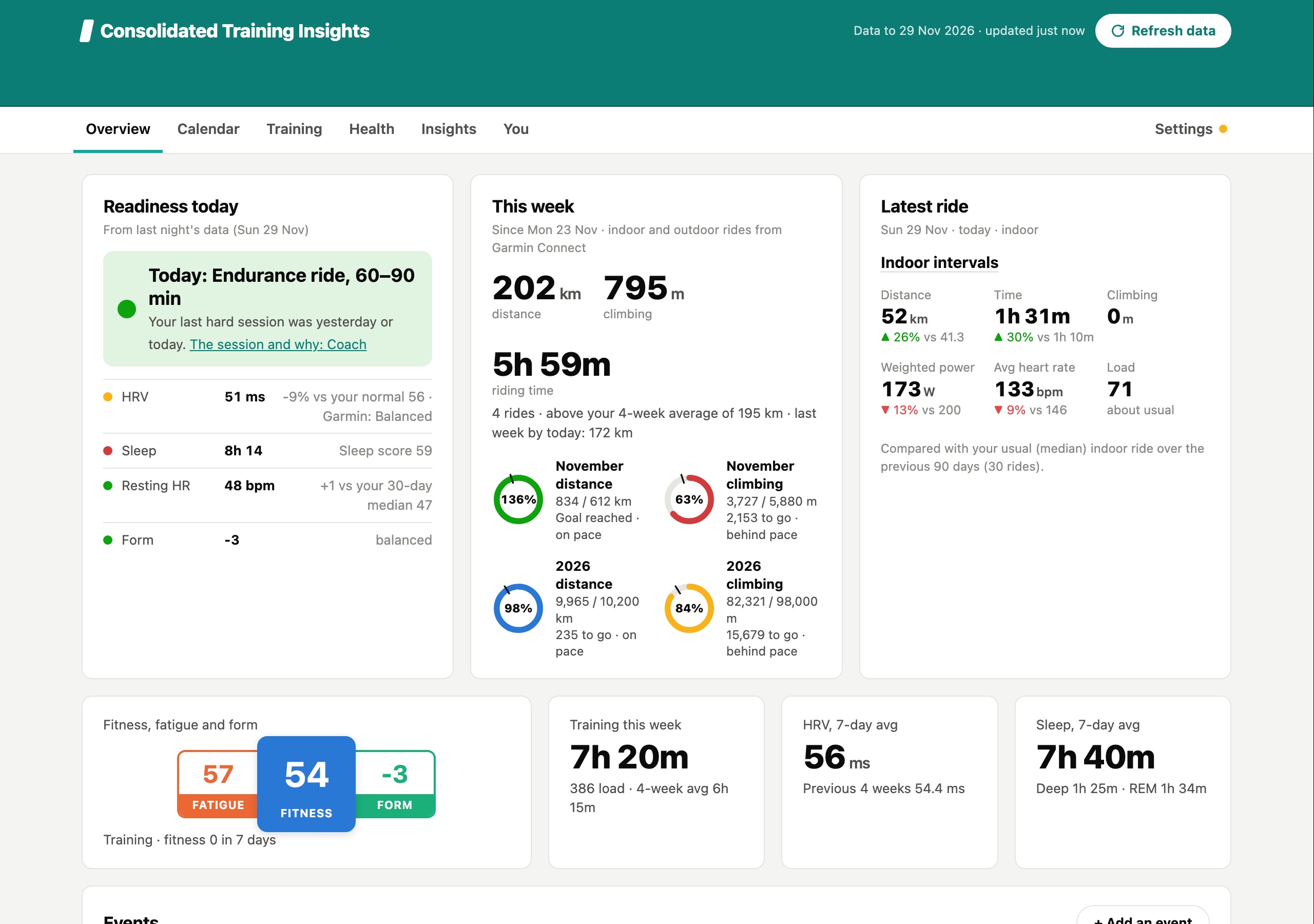
A watch for sleep and HRV, a bike computer for rides, an app for every other number. Each is good at one thing. None tells you what it all means for today's ride.
Rides, recovery, sleep, weight and your plan, from the services you already use, side by side. Each ride counted once.
Plain-language readings against your own normal: are you recovered, is your training working, what's holding your sleep back.
Everything runs on your Mac. No account, no cloud, no tracking. Your data stays in a folder you choose.
Features
One look in the morning: how recovered you are from last night's HRV, sleep and resting heart rate, how this week compares with your goals, and how your latest ride stacked up against your usual.
A session that fits your recovery, your training status and your last hard day, with the reasons behind it.
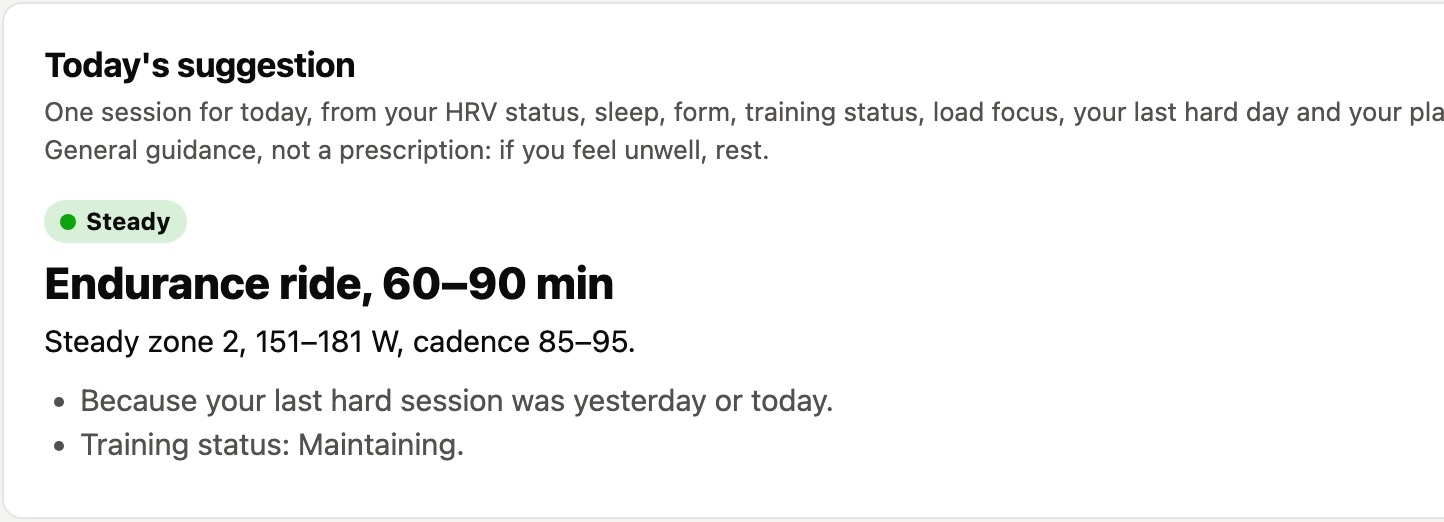
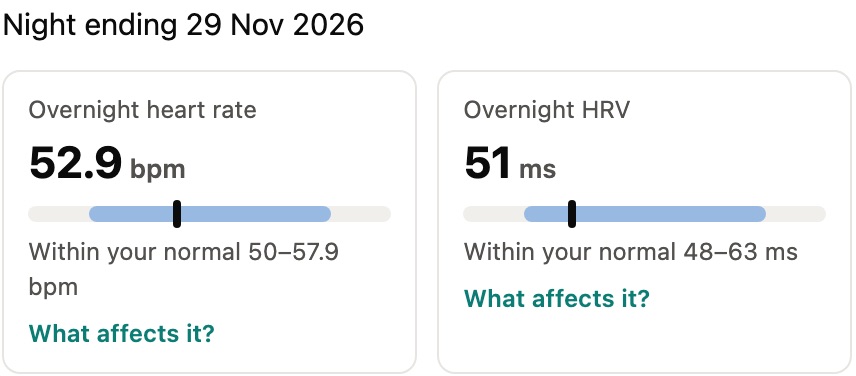
Each overnight reading against the range it usually sits in for you, not against an average person.
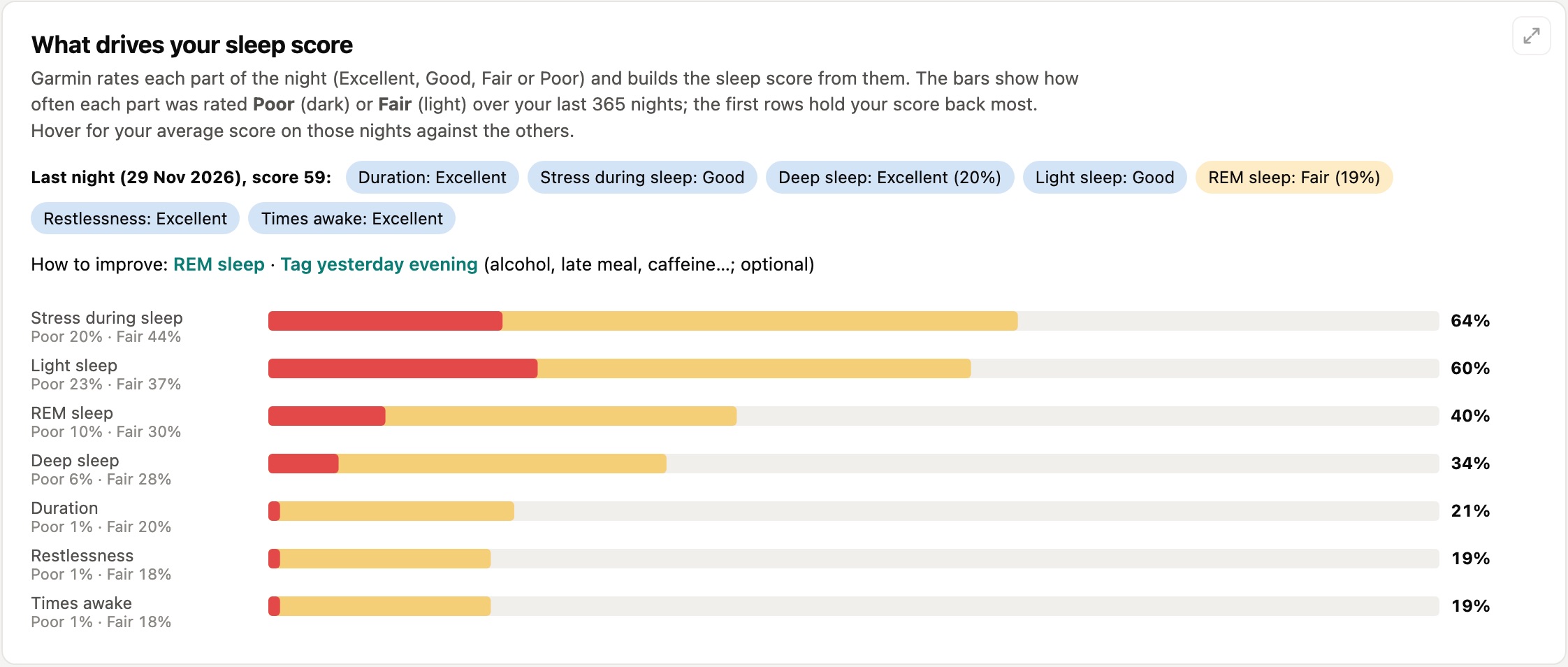
See which part of the night holds your score back, and what tends to help, based on your own nights.
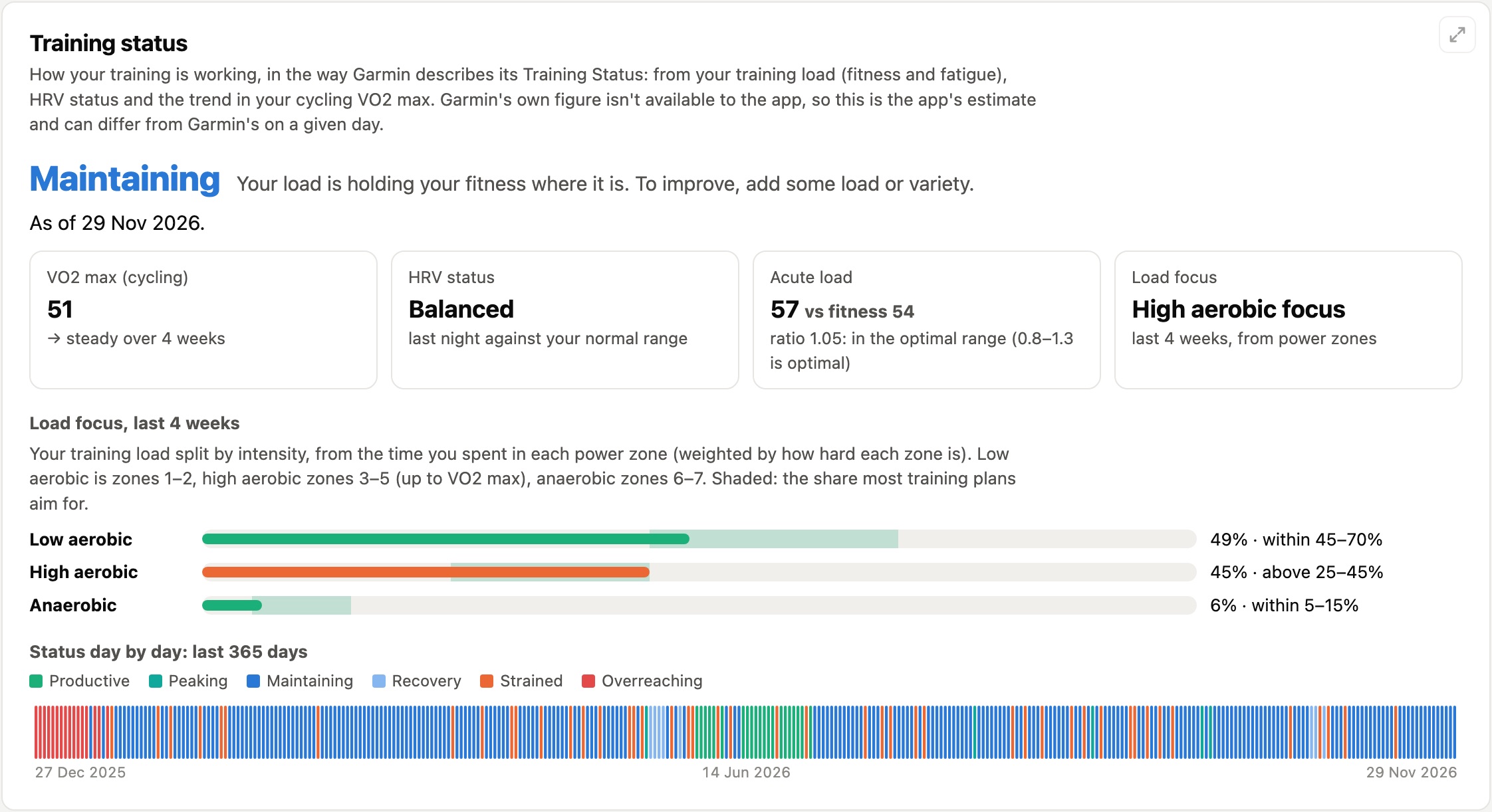
Whether your training is productive, maintaining or straining you, and whether your mix of easy and hard riding is balanced.
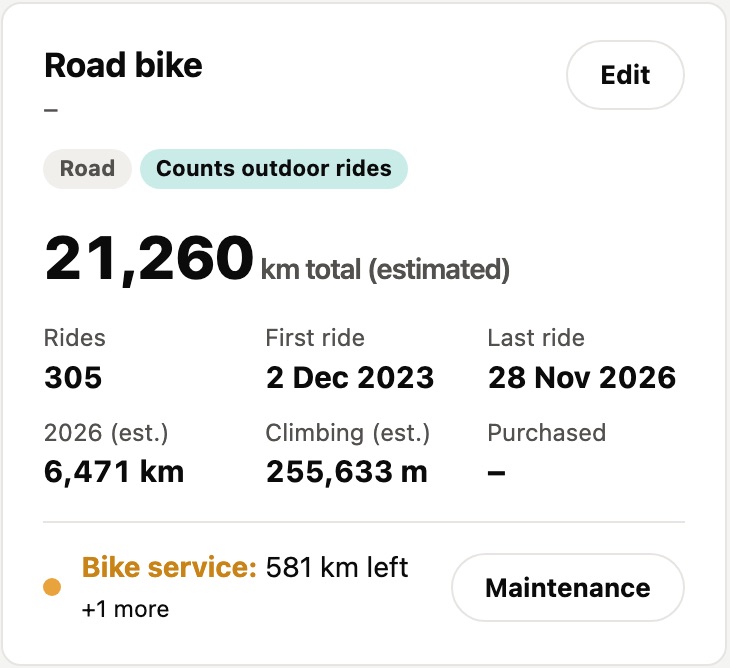
Distance per bike, and reminders for chain wax, a new chain or a service when they're due, if you want them.
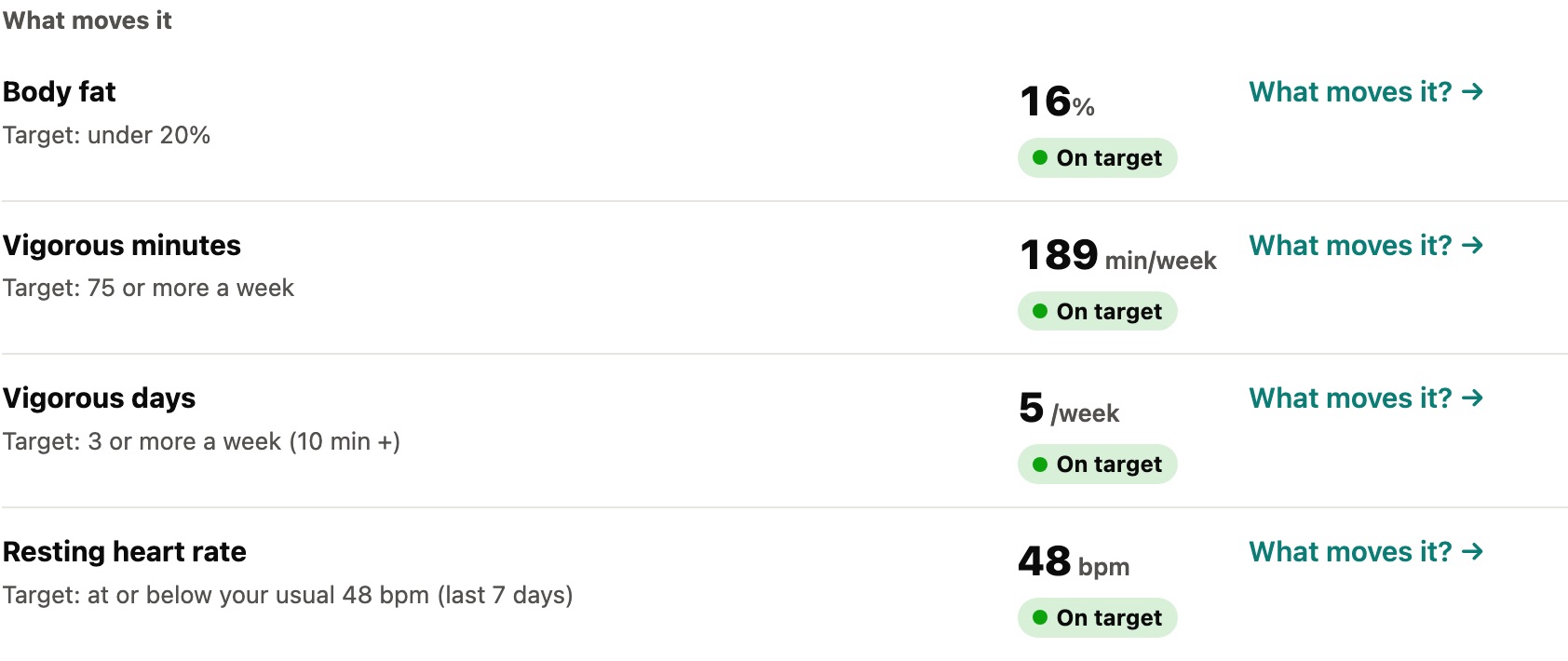
Body fat, vigorous minutes and resting heart rate, with what your own data says would move them.
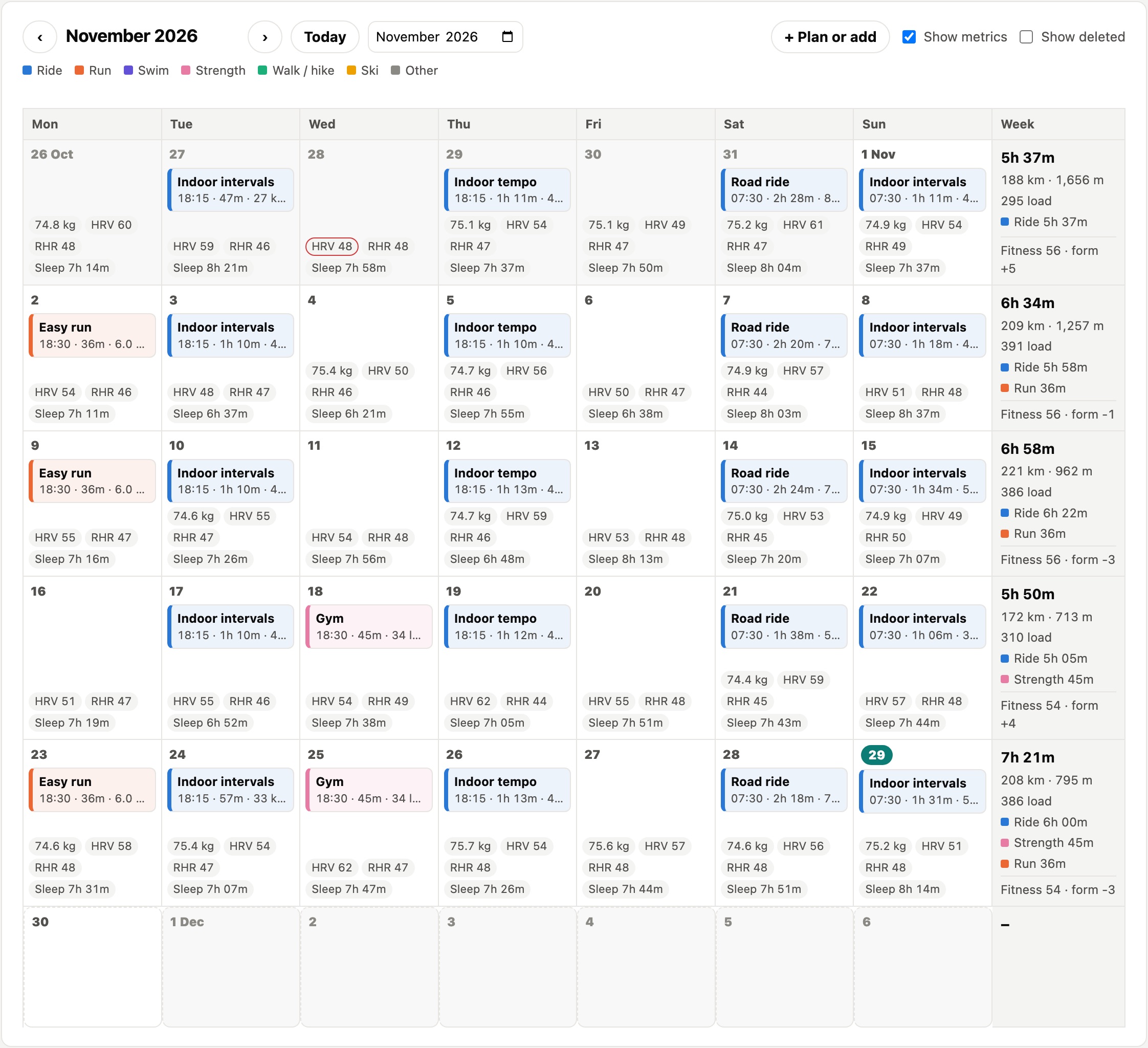
Every activity and every day's health figures in one calendar. Plan workouts, add notes and events, and drag them to another day.
Private by design
CTI isn't a cloud service. It downloads your data straight from the services you connect, works everything out on your computer, and keeps it there.
How it works
One app, with everything it needs included. Choose the folder your data lives in.
Turn on the services you use and sign in with your own accounts. CTI never sees your passwords.
Click Refresh data, or set a time for each day of the week and it refreshes by itself.
Open CTI in the morning: readiness, today's suggestion, and your week against your goals.
Data sources
Turn each source on or off. Where two sources have the same ride, CTI counts it once.
Rides and other activities, sleep, HRV, resting heart rate, stress, Body Battery, weight and VO2 max.
Your full ride history, for best power by year, heart-rate drift and group rides.
Historical weather for your outdoor rides.
“I had more training data than ever and less idea what it meant for today’s ride. So I built the app I wanted: one picture, on my own Mac.”Chris Hawkes, founder · Read the story
Questions
Consolidated Training Insights (CTI) is a Mac app for cyclists. It brings your rides, recovery and sleep data from the services you already use into one dashboard, and explains what they mean for today: how recovered you are, how your training is going, what drives your sleep score, and a suggested session.
On your own Mac, in a folder you choose. CTI has no account, no cloud service and no servers that hold your data. Your sign-ins and keys are kept in the macOS Keychain. When CTI refreshes, it downloads your data straight from each service to your Mac.
It imports your activities and health data from Garmin Connect, and can read your ride history from the free Elevate desktop app. Weather for your outdoor rides comes from Open-Meteo. You turn each source on or off in Settings; CTI counts each ride once, even when two sources have it.
CTI works best with a Garmin watch or bike computer, because Garmin Connect provides both your rides and your recovery data (sleep, HRV, resting heart rate). Without it, CTI can still show your ride history from Elevate.
No. CTI gives training and wellness insights from your own data. It doesn't diagnose, treat or prevent any condition. If you feel unwell, rest and talk to a doctor.
Private testing
CTI is in private testing on the Mac. If you'd like to try it, or hear when it's available, get in touch.